Serverless Best Practices with AWS Lambda PowerTools

For one-off tasks, AWS Lambda really can be incredibly easy. You write a few lines of code, deploy it, and you have a function running in the cloud ready to respond to events, scale automatically, and that only costs you pennies. But as your application grows, so does some necessary complexity. When a few one-off functions become a full serverless backend architecture made up of interconnected services, you’ll need to pay careful attention to best practices to ensure that your application is easy to debug, maintain, and scale. That’s where AWS Powertools for Lambda fits in. It’s a suite of reusable utilities designed to simplify bringing best practices around things like logging, tracing, metrics, idempotency and more to your Lambda functions with minimal effort. This demo session will dive into some of the functionality provided by the AWS Powertools (TypeScript) core libraries, such as encapsulating best practices into reusable libraries for structured logging, metrics collection, idempotency, and more; leveraging Middy middleware to integrate common cross-cutting concerns, such as injecting Lambda context or automatically flushing metric; enabling local testing with LocalStack, allowing you to deploy and debug Lambda functions with structured logs, trace data, and embedded metrics; and providing modular examples that can be deployed to AWS or LocalStack with ease, enabling developers to explore libraries.

Related Talks

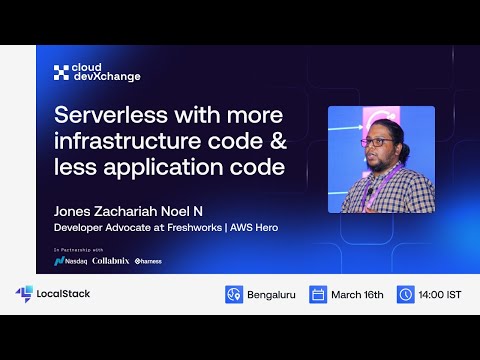
Serverless with more infrastructure code and less application code

With the growing Serverless workloads, managing and maintaining them is best recommended with Infrastructure as Code (IaC). While this holds the complete infrastructure and its configurations, we could have events from one service destined to another via configuration. When building these configurations, we could also reduce the application code making it more maintainable and scalable. In this session, Jones walked us through a fully end-to-end solution built with Amazon EventBridge and AWS Step Functions with SDK integrations which have helped him to improvise the application with just IaC and very minimal application code.

Learn More
Learn More
Saving & Sharing Your LocalStack State with CloudPods

Tired of rebuilding your stack from scratch every time you run tests or restart your dev environment? In this episode, we dive into Cloud Pods, LocalStack’s powerful state management feature. You’ll learn how to snapshot your entire LocalStack environment (services, resources, data), restore that exact state across machines, teams, or CI runs, speed up test cycles and workflows, and use Cloud Pods to make testing in CI/CD faster and more reliable. Cloud Pods let you freeze your infrastructure in time. Perfect for repeatable tests, isolated dev environments, or onboarding new teammates.

Learn More
Learn More
Running dbt workflows locally with LocalStack

dbt (Data Build Tool) helps data engineers manage data transformations using modular SQL and brings version control, testing, and documentation to their transformation logic. However, running dbt against production data warehouses like Snowflake can be slow, expensive, and risky. This session introduces a new way to develop and test dbt workflows locally using the Snowflake emulator in LocalStack. You'll learn how to set up a local dbt environment, configure dbt to connect to the Snowflake emulator, run and validate dbt models locally without using a real Snowflake account, and iterate quickly on transformations before pushing them to production. Through a hands-on factory app example, we’ll walk through how to use the Snowflake emulator to run dbt models on your laptop, helping you test logic, catch issues early, and reduce cloud costs.

Learn More
Learn More

Launch yourself in the world of local cloud development

Try for free
Try for free
Talk to Sales
Talk to Sales