Making your AWS cloud environment state persistent

Recreating the unique state of a cloud app environment is notoriously complex, making it difficult to diagnose bugs, collaborate with teammates, or even just pick up where you left off. Join us as we deep dive into LocalStack’s powerful state management and persistence features, exploring how to maintain, snapshot, and seamlessly share your local cloud environments using core features like persistence, Cloud Pods, and state files. Learn how to restore a previous state, share preconfigured environments with colleagues for collaboration or onboarding, or restore preset services and data for functional tests in CI. We'll also showcase LocalStack's new Model Context Protocol (MCP) integration, revealing how AI can manage, inspect, and automate your local cloud state.

Related Talks

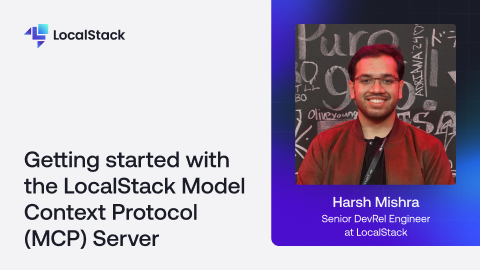
Getting started with the LocalStack Model Context Protocol (MCP) Server

What if your AI coding assistant could not only write infrastructure code, but also deploy it, test it, and fix issues automatically — all on your local machine? That's exactly what the LocalStack MCP Server makes possible.In this session, we'll introduce the LocalStack Model Context Protocol (MCP) Server, a new tool that lets AI agents manage your entire local cloud development lifecycle through a conversational interface. You'll learn:What MCP is and why it's a game-changer for AI-assisted developmentHow the LocalStack MCP Server turns manual cloud tasks into automated workflowsHow to set up and configure the server with your favorite AI editor (Cursor, VS Code, etc.)Real-world demos: deploying CDK apps, analyzing logs, running chaos tests, managing state with Cloud Pods, and more.Through hands-on examples, we'll walk through a complete workflow where an AI agent deploys a serverless application, verifies resources, troubleshoots issues, and tests resilience, all without leaving the conversation.If you've ever wished your AI assistant could do more than just generate code, this talk will show you what's possible when agents can actually manage your local cloud environment.

Learn More
Learn More
Getting started with the LocalStack Dagger module

Looking to bring AWS emulation directly into your CI/CD pipelines? This hands-on session with Harsh Mishra shows you how to integrate LocalStack with Dagger to level up your development workflows.In this session, you'll learn how to:- Run full AWS emulation locally inside Dagger pipelines- Spin up LocalStack as a service using Dagger’s composable syntax- Use Cloud Pods for persistent state across pipeline runs- Create ephemeral environments for fast, clean, isolated testingKeep your cloud workflows repeatable, testable, and fastWhether you’re building serverless apps, managing infrastructure-as-code, or optimizing your DevOps pipelines, this talk will help you bring LocalStack into the heart of your CI/CD setup.

Learn More
Learn More
Getting started with LocalStack's Extension for Docker Desktop

LocalStack's Docker Extension allows developers to manage and run cloud applications locally within Docker Desktop efficiently. With a fully-integrated experience with features such as configuration profiles, container logs, and more, developers can now easily manage their LocalStack instance.In this video, Harsh from LocalStack discusses the LocalStack Docker Extension and how you can capitalize on an intuitive user experience to manage your LocalStack image, configuration profiles, and container logs directly within the Docker Desktop.

Learn More
Learn More

Launch yourself in the world of local cloud development

Try for free
Try for free
Talk to Sales
Talk to Sales