What if your AI coding assistant could not only write infrastructure code, but also deploy it, test it, and fix issues automatically — all on your local machine? That's exactly what the LocalStack MCP Server makes possible.In this session, we'll introduce the LocalStack Model Context Protocol (MCP) Server, a new tool that lets AI agents manage your entire local cloud development lifecycle through a conversational interface. You'll learn:What MCP is and why it's a game-changer for AI-assisted developmentHow the LocalStack MCP Server turns manual cloud tasks into automated workflowsHow to set up and configure the server with your favorite AI editor (Cursor, VS Code, etc.)Real-world demos: deploying CDK apps, analyzing logs, running chaos tests, managing state with Cloud Pods, and more.Through hands-on examples, we'll walk through a complete workflow where an AI agent deploys a serverless application, verifies resources, troubleshoots issues, and tests resilience, all without leaving the conversation.If you've ever wished your AI assistant could do more than just generate code, this talk will show you what's possible when agents can actually manage your local cloud environment.

In this video, you'll learn how you can run an Elastic Compute Cloud (EC2) instance locally using LocalStack's core cloud emulator. Elastic Compute Cloud (EC2) is a core service within Amazon Web Services (AWS) that provides scalable and flexible virtual computing resources. EC2 enables users to launch and manage virtual servers, commonly referred to as instances. LocalStack is a core cloud emulator that allows you run EC2 instances using a Docker backend. Under the hood, LocalStack spins another Docker container that mimics an EC2 instance functionality, including other add-on features such as EBS, IMDS, and Load Balancers.For more information, check out our docs:- Install LocalStack: https://docs.localstack.cloud/getting-started/installation/- Configure an Auth Token: https://docs.localstack.cloud/getting-started/auth-token/ - Supported EC2 operations: https://docs.localstack.cloud/user-guide/aws/ec2/#operations - Supported Instances & AMIs: https://docs.localstack.cloud/user-guide/aws/ec2/#instances-and-amis Corrections:- LocalStack will no longer provide the Ubuntu 20.04 Docker AMI (used in this video) by default in the next major release. It can still be manually added.- On nine minutes & nine seconds mark, we meant 'localhost' instead of 'localstack'. To access the web server, you can hit the localhost:8000 endpoint as shown in the video.

The challenge with Machine Learning (ML) models is productionizing. It requires data ingestion, data preparation, model training, model deployment, and monitoring.Adopting MLOps practices is similar to DevOps practices. In MLOps, the workload changes, but some core principles like automation, continuous integration/continuous deployment (CI/CD), and monitoring. Taking DevOps practices, I will discuss the similarities and differences in adopting MLOps practices.In this talk, Chinmay takes a production use case to scale ML models to 2 million+ daily requests. It leverages Google Cloud's (GCP) infrastructure to use its GPU and other services. This talk will help you draw similarities between DevOps and MLOps as a DevOps practitioner and help you learn how to run Machine Learning models at the production scale with best practices.

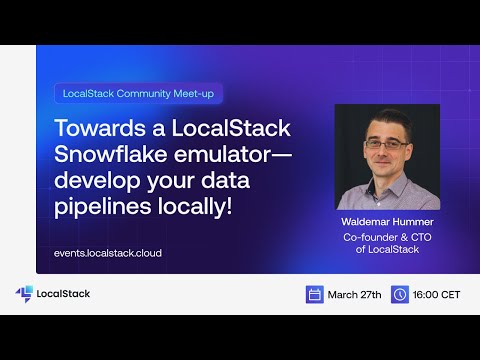
Creating data pipelines and applications for the cloud comes with challenges like a complicated developer experience, dealing with managed cloud dependencies, and enduring long build times. These issues often disrupt your development and testing cycles.LocalStack's cloud emulation allows you to construct, deploy, and test data pipelines on your local machine. It facilitates integration testing of cloud solutions both locally and in CI pipelines. This approach saves time and money, enhances developer velocity, and supports high-quality, agile, test-driven development.In this talk, Harsh delves into developing and testing cloud-based data pipelines on your local machine. The session will provide a firsthand look at the new Snowflake emulator and demonstrate how you can use LocalStack to create Snowflake warehouses, databases, schemas, and tables, and integrate frameworks like Snowpark.